How do I set up Group Pickup on Hunt Groups?
The Group Pickup function can be activated and set up within pre-existing Hunt Groups, or a specific hunt group can be created for this functionality alone.
By enabling Group Pickup on an existing hunt group, all the users inside will automatically be added to this Pickup Group.
Users (or other hunt groups) outside of the hunt group can be given permission to the pickup group under the option "Add others to pickup group".
This Group Pickup option applies to ANY calls to the users named within the Hunt group, and not just for the calls to the Hunt group directly.
Permissions:
If you have looked around on the users' settings, you might have seen the option to toggle on:
- Pick up other extensions
- Let others pick up this extension
under the Advanced tab of the user.
These should not be turned on in order for group pickup to work, as these will bypass the group pickup rules and allow people outside of the hunt group/selected users to pickup these calls.
Example:
In the picture below, there is the Hunt group, My Hunt Group, consisting of users Charlie, James, and Tomas.
Underneath the ‘Pickup Permissions’ section, we have also added the users John.
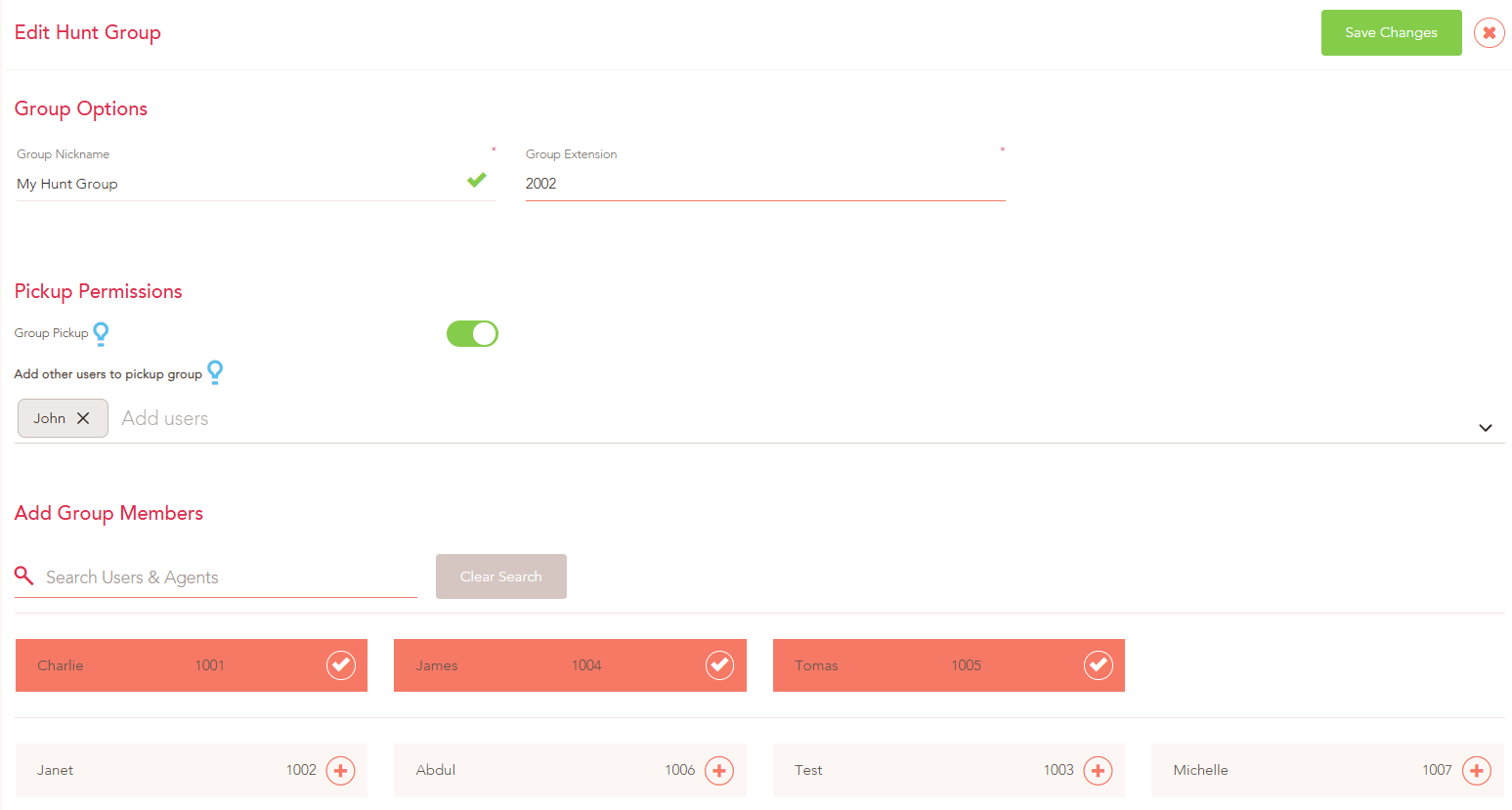
With the additional Users with permissions to answer calls added, the following can answer any calls to Charlie, James, and Tomas:
- Charlie
- James
- Tomas
- John
To use the Group Pickup, you will need to set the short code option "Pick up an incoming call to an extension" In the screenshot example below the short code is *22:

For John to Pickup ANY calls to the Users within My Hunt Group, they will need to dial *222002 (Short code + Hunt Group number)
If you need any further help today, please don't hesitate to contact our friendly support team on 0330 122 6000 or by email!