VoIP Phones
What are the Grandstream HT801/2 IVR Menu Codes?
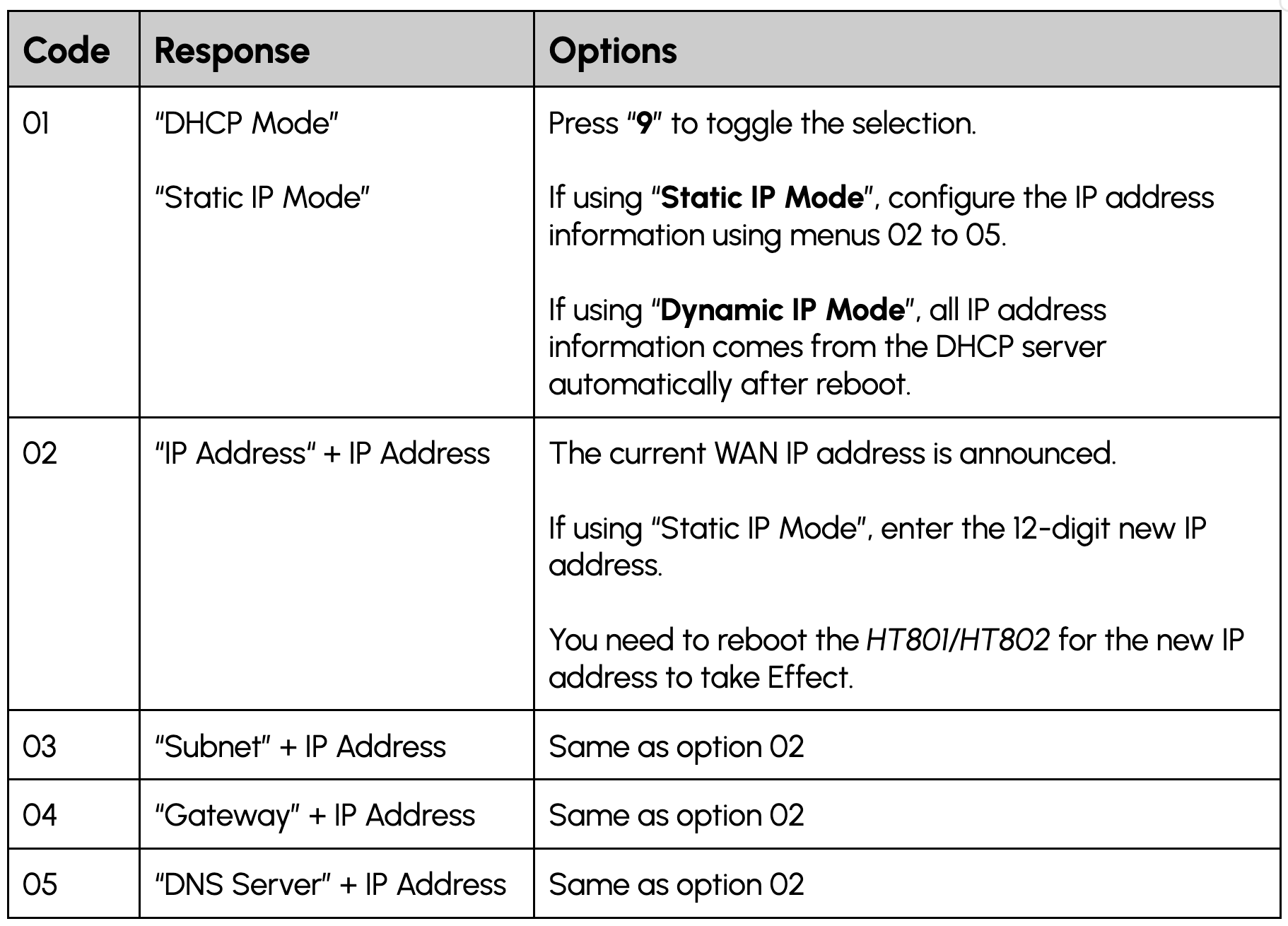
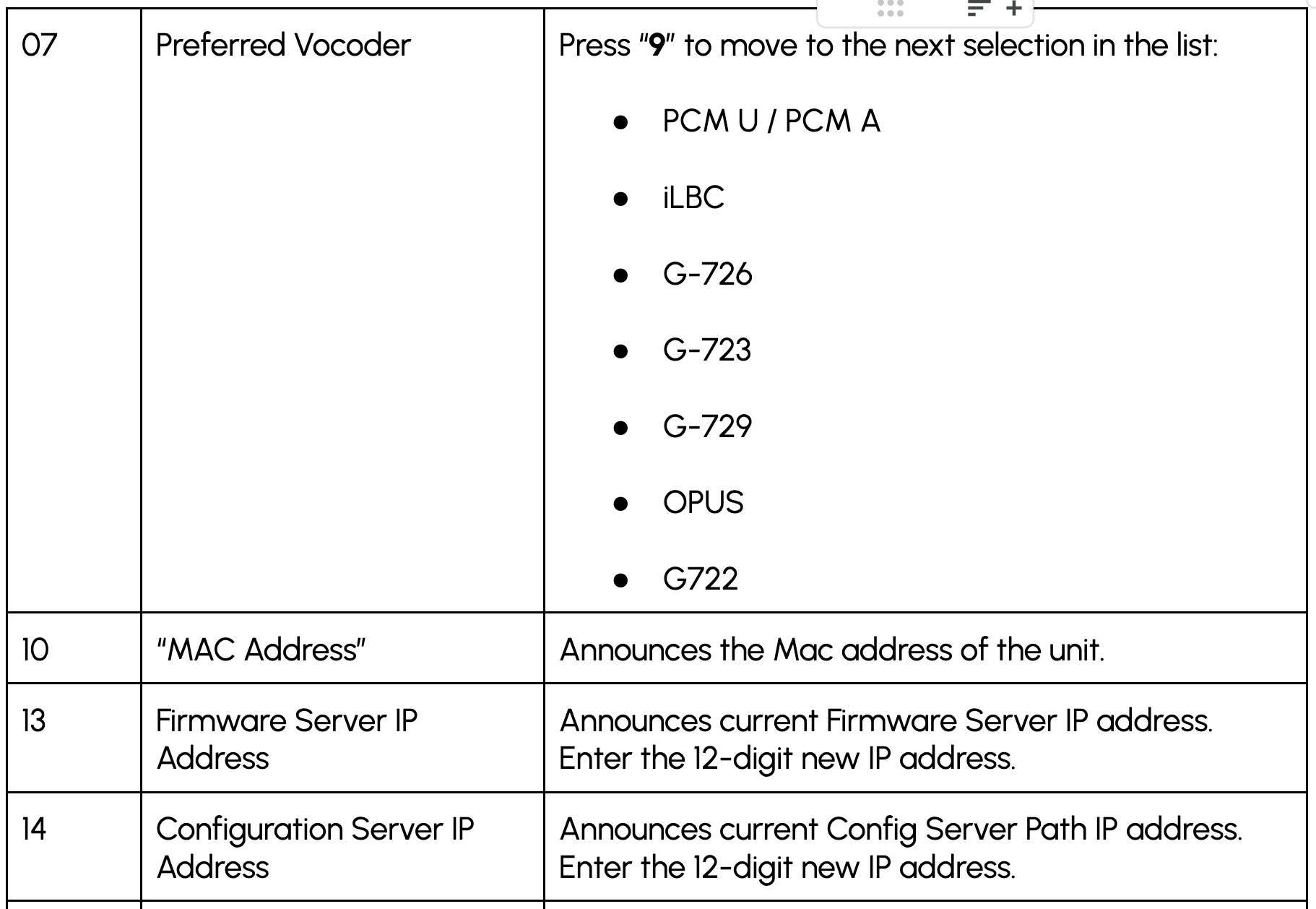
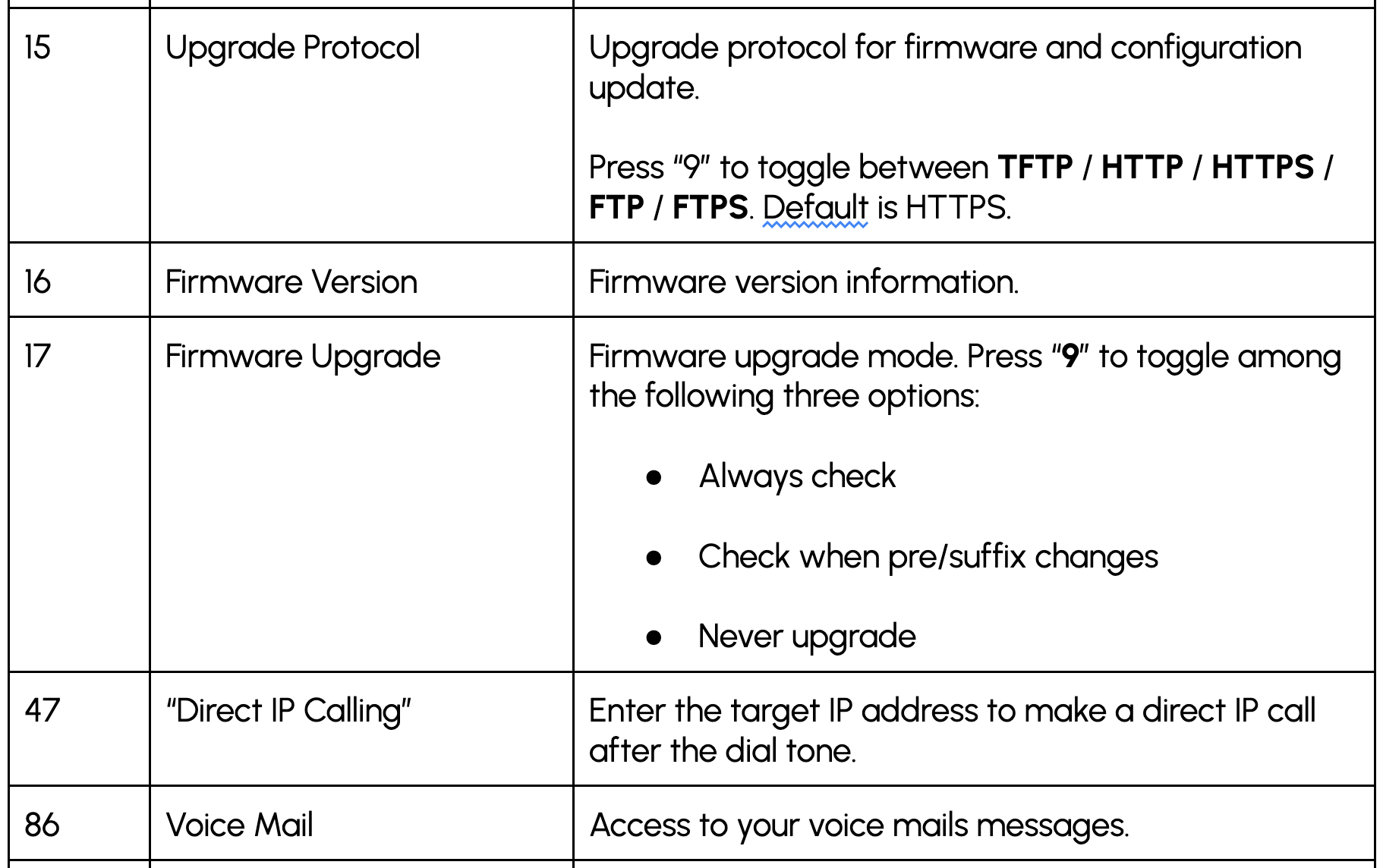
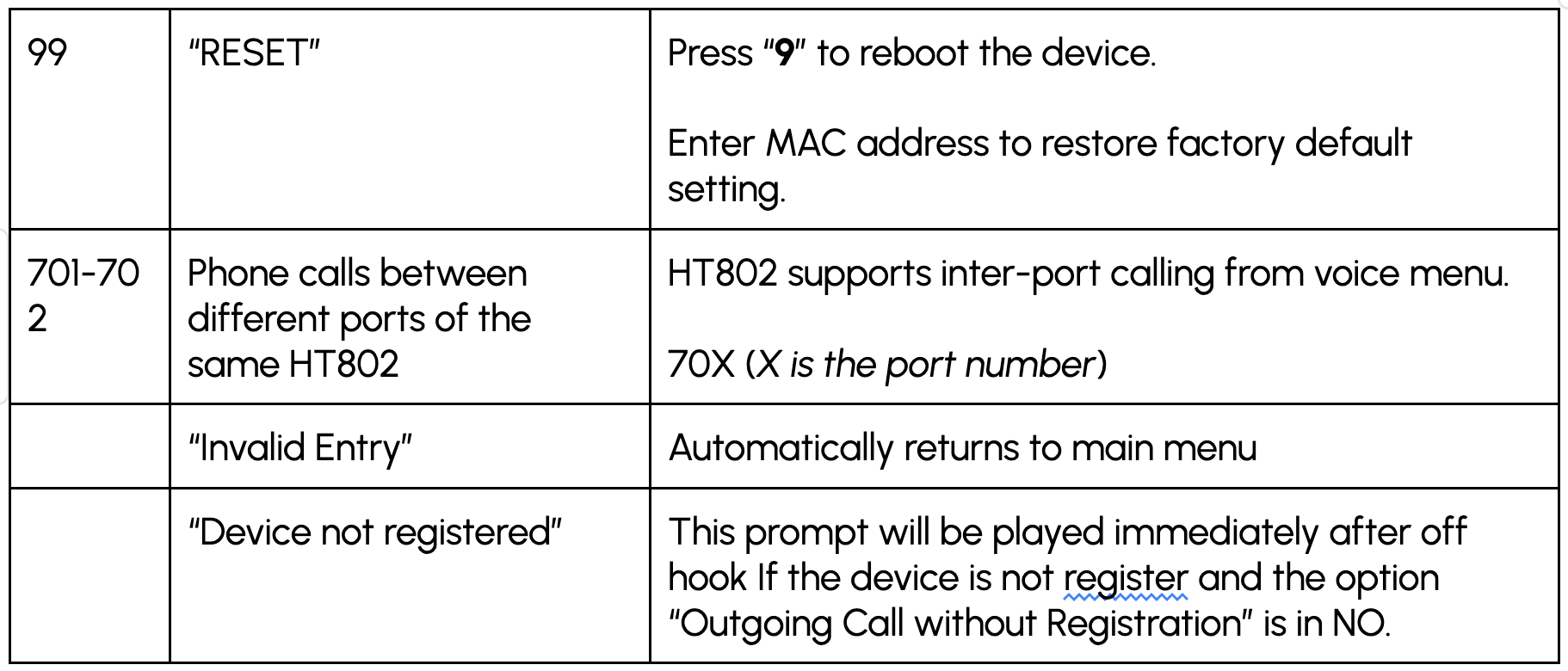
There are many different codes and functions you can do on a phone connected to a Grandstream HT801/2 Adapter, all with their own purpose. This FAQ details exactly what they are, how to select that option, and what it does.
The IVR
Grab the phone connected to the adaptor and then dial ‘***’ and will be brought to the main menu, in which you are asked “Enter a Menu Option”.
Enter one of the numbers below to get to the option, press ‘*' to go to the next option, and '#’ to return to the main menu.
If you have any questions, please don't hesitate to contact our friendly Support Team on 0330 122 6000, or send us an email at help@yay.com.