How do I set up a Cisco SPA303 IP phone?
Please make sure that the device you’re using to log into the web interface of the phone is connected to the same network as the phone.
Firstly, you’ll need to determine what the IP address for the phone is, so that you can access the phone's web interface. You should be able to find this from the Home view, and selecting Settings > Network.
If the IP address is displaying as 0.0.0.0, this means that your phone is not connected to your network, so please check this before going any further.
If you’re struggling to navigate your IP address from the phone itself, you can use networking scanning utilities that will scan your network and list all the devices on the network, and their IP addresses.
Once you have determined the IP address of the phone, open a new browser window and enter the IP address. This will take you to the Cisco SPA303 configuration log in page. The default Username and Password should both be “admin” (without the quotation marks).
Once you’re logged in, you can either select the Basic, or Admin Interface. We are using the Basic Interface in the top right hand corner.
Navigate to Voice > EXT1. In this case, we are configuring ‘Extension 1’ as an example. All of the details that you need to enter are on this page.
Enter the following details in the corresponding settings. Only enter the details provided and leave all other fields.
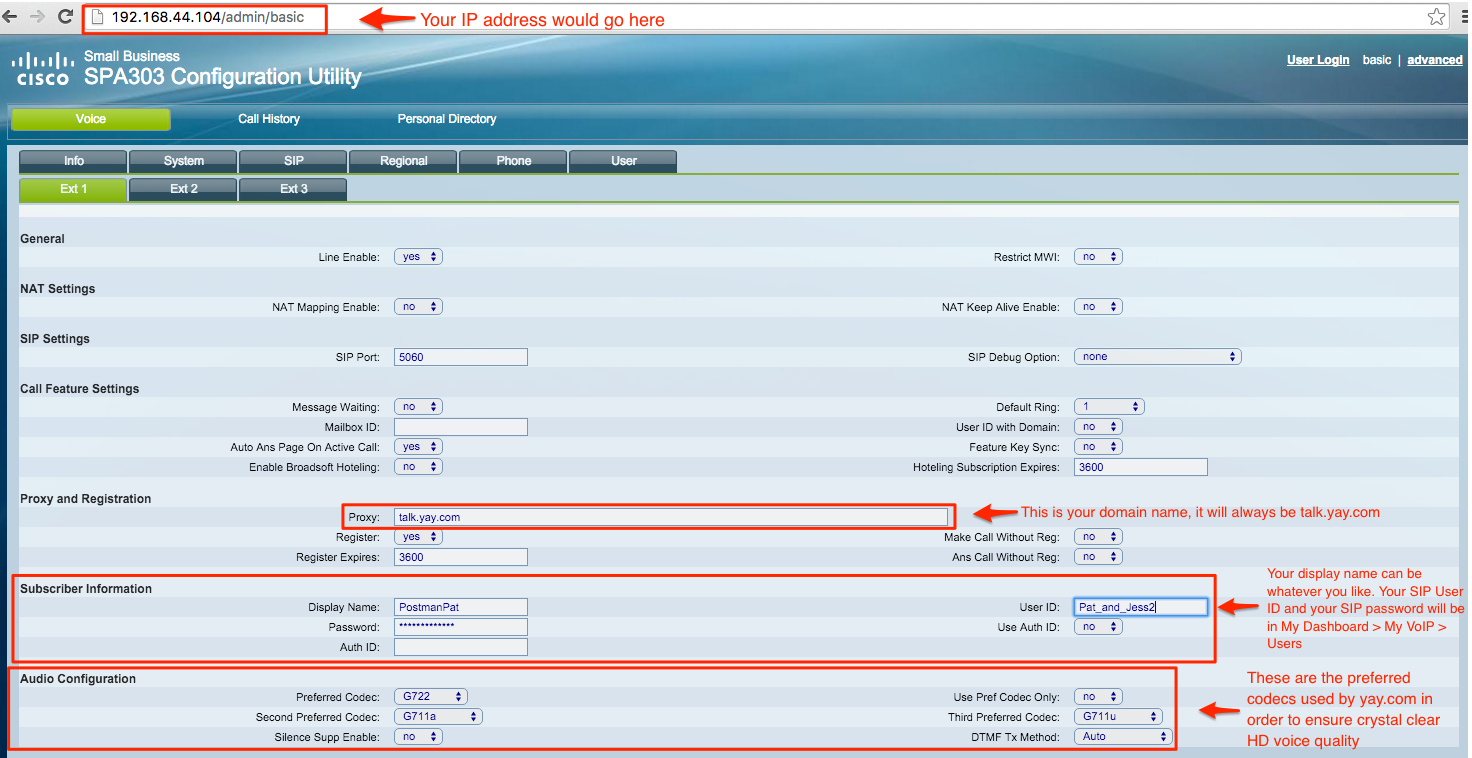
You can find the SIP Username and Password in your Yay dashboard. Navigate to:
Voice > Users > Users > Press the pencil next to the User > You will see your SIP Username and Password under “SIP User Details”
The following details are the preferred codecs used by CallSwitch One in order to ensure clear HD voice quality.
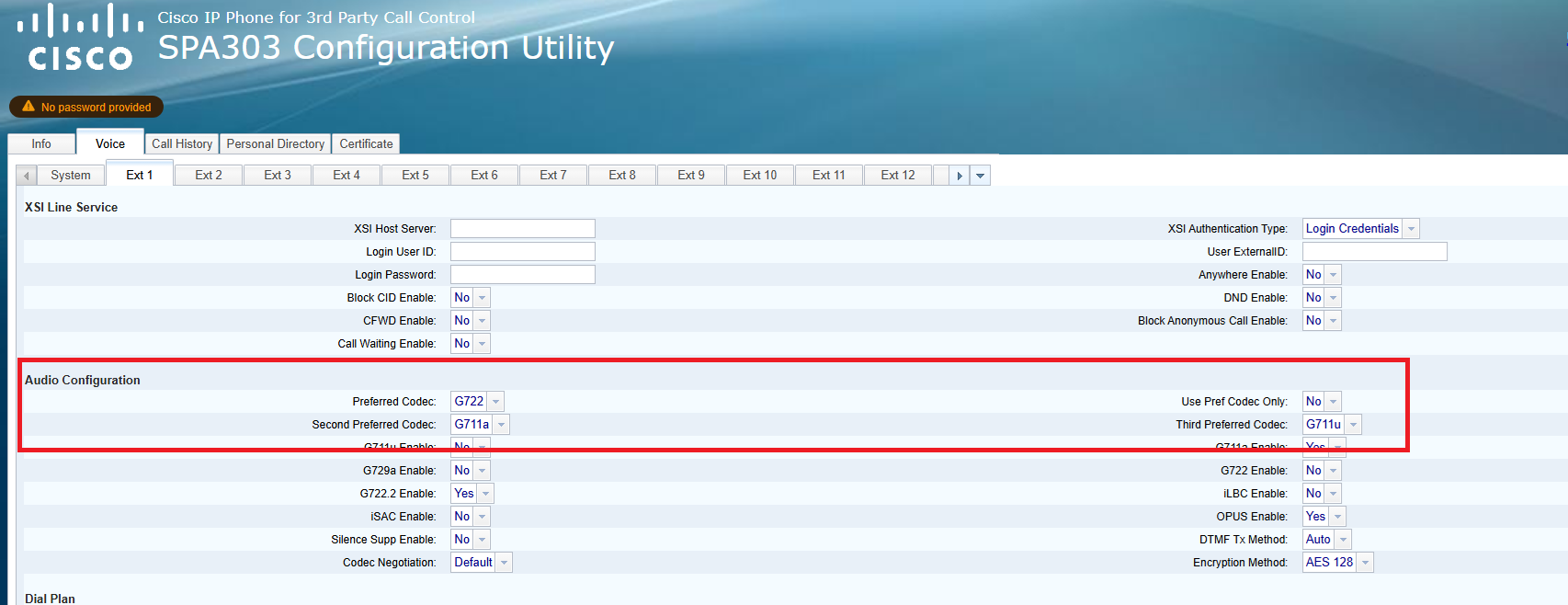
This is everything that you need to set up your Cisco SPA303 IP phone!
If you have any questions, please contact our friendly Support Team on 0330 122 6000, or send us an email!