How do I monitor a call?
Call Monitor is a great feature for new starters to shadow a colleague or for supervisors to listen in on calls for the purpose of improving communication and customer service.
To enable Call Monitoring:
Go to Voice > Users and click on the edit button of the user you wish to set Call Monitoring for.
Click on the Call Monitor tab and enable the Listen toggle as shown below;
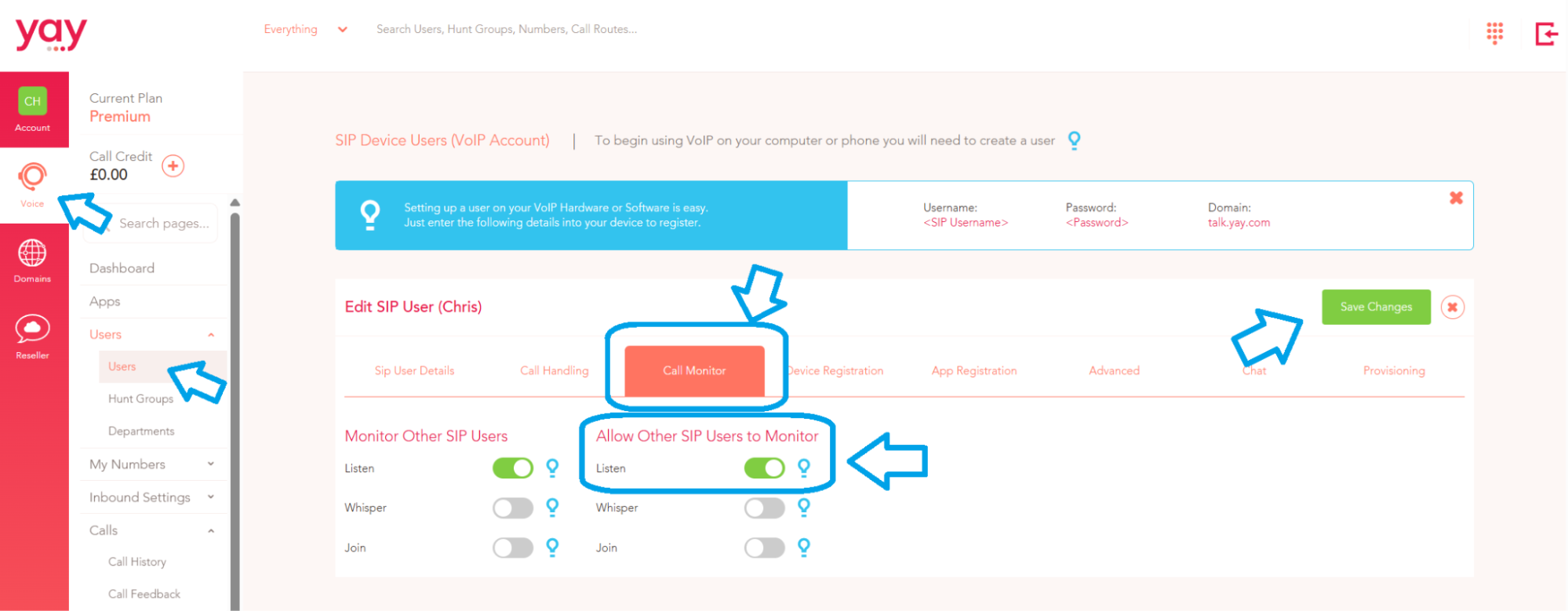
This will enable the user to listen to other users on the account when they are on an active call.
You can also click the Whisper and Join toggles:
- Whisper enables a supervisor/user monitoring the call to speak to the agent without the caller hearing. That means they can coach or help out the agent in real time.
- Join enables a supervisor/user to join in on the conversation, so both parties on the call can hear them once they have joined the conversation.
Allow other SIP users to monitor means other users can listen, whisper and join a conversation if enabled:

Once enabled you will then need to configurate short codes to Listen, Whisper and Join.
1. Go to Voice > Config > Short Codes
2. Add Short Code.
3. Select the next available short code from the drop down list and set the command to Listen to extension.
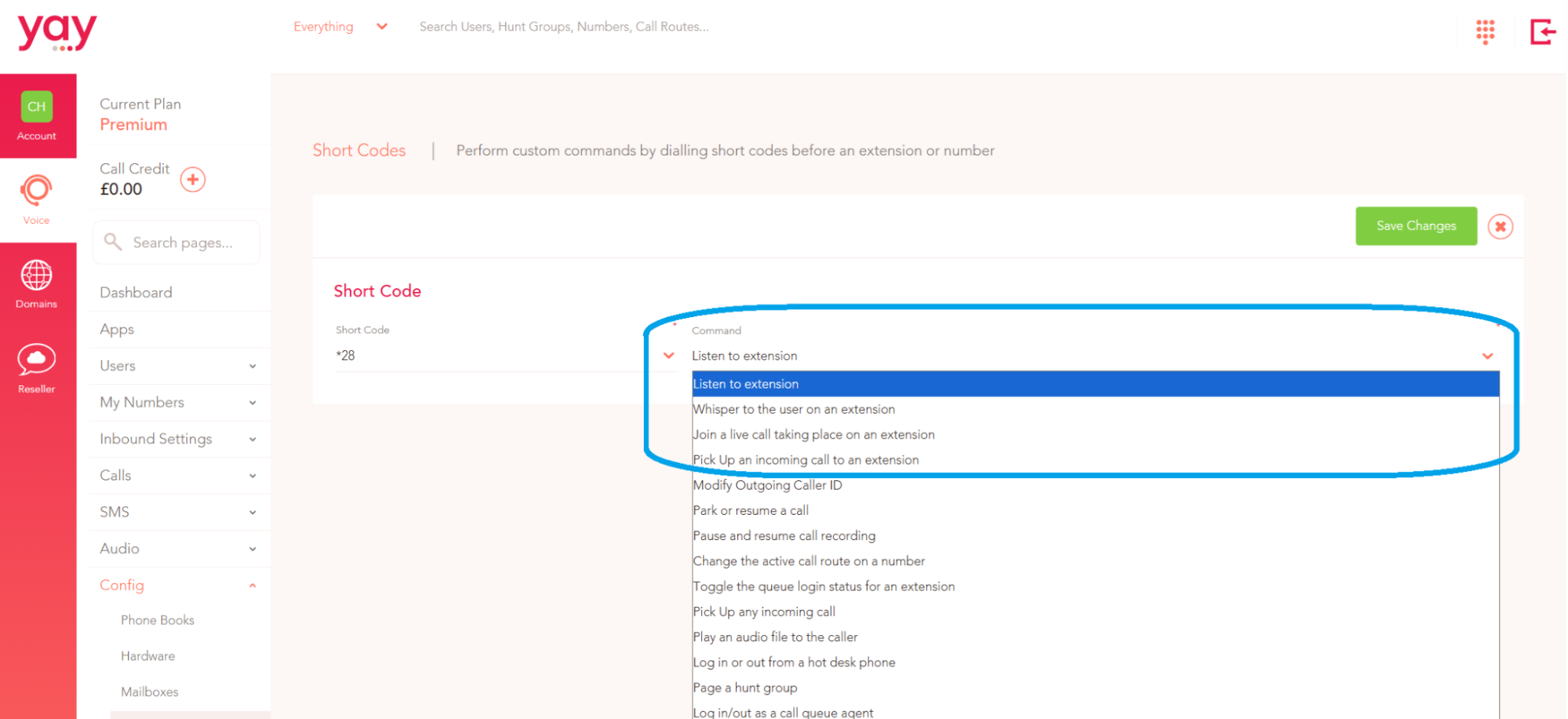
When a user is on a call you will dial the relevant short codes to perform the commands.