How do I assign a number to a user?
Assigning a DDI number to your user(s) allows you to have a direct number for an individual user on your account, which is very helpful for reaching a specific person.
DDI stands for 'Direct Dial In' and can also be known as 'Direct Inward Dialling' in the US and outside of Europe.
DDI phone numbers allow callers to bypass the reception or switchboard, and instead ring a user directly.
Setting up a DDI is easily done within your dashboard:
1. Go to the Voice tab
2. Then My Numbers
From here you should see all available numbers on your account as seen below:
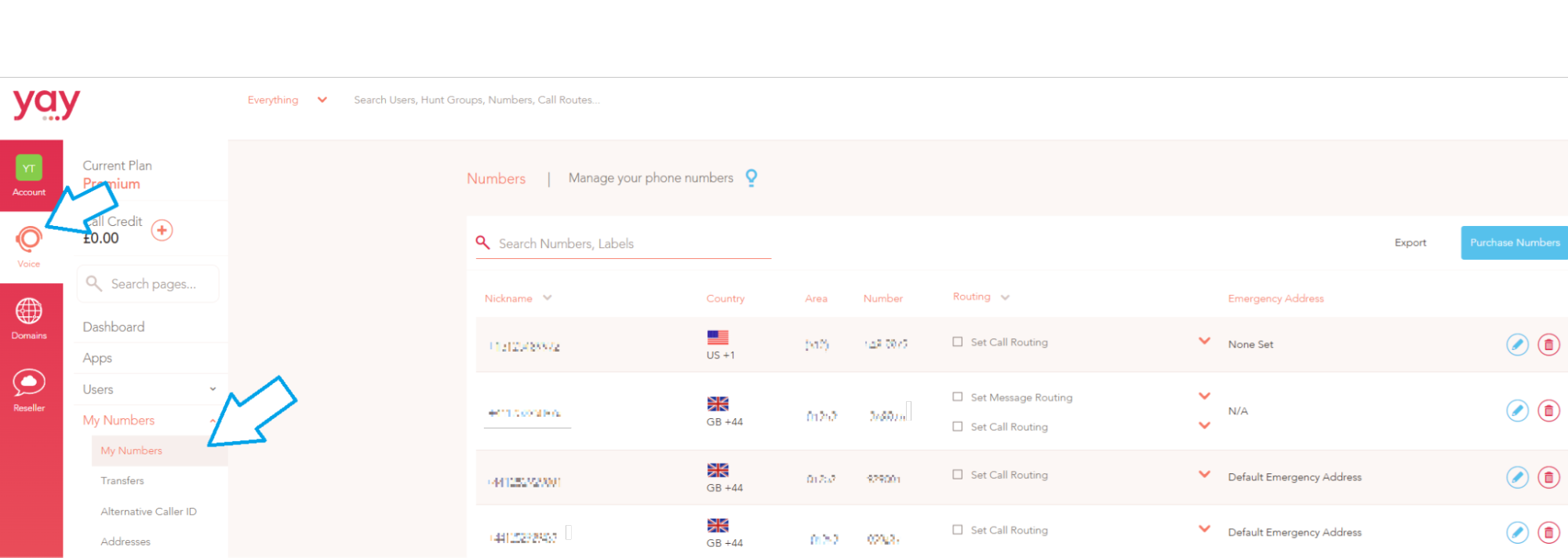
The 'Routing' column is where it shows the call route / time diary / user that is assigned to that number.
By clicking the drop down box under where it says 'Routing' you will be able to bring up a list of all the Users, Call Routes and Time Diaries on your account
To assign the number as a DDI for a user, you will just need to select the user you wish to assign the number to from this drop down.
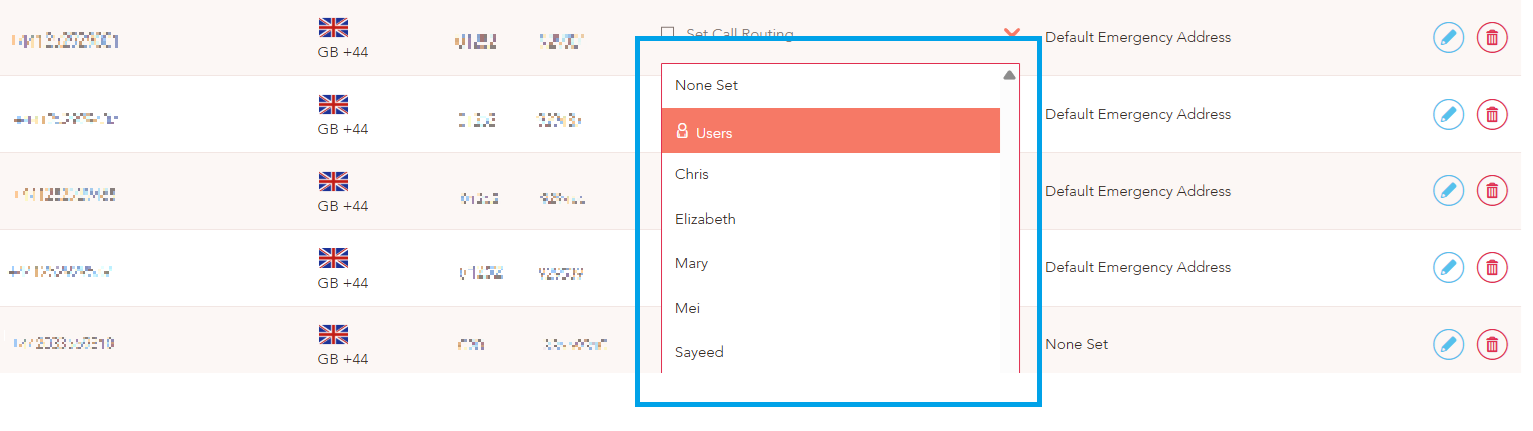
As soon as this is done, ringing that number will directly call this User and any devices registered to that User, be it a desk phone, mobile or desktop app.