How do I set Chat Permissions?
The Yay internal chat is a great way for you to communicate within your organisation.
You can access the following controls by editing a user from the users page then going to the Chat tab:
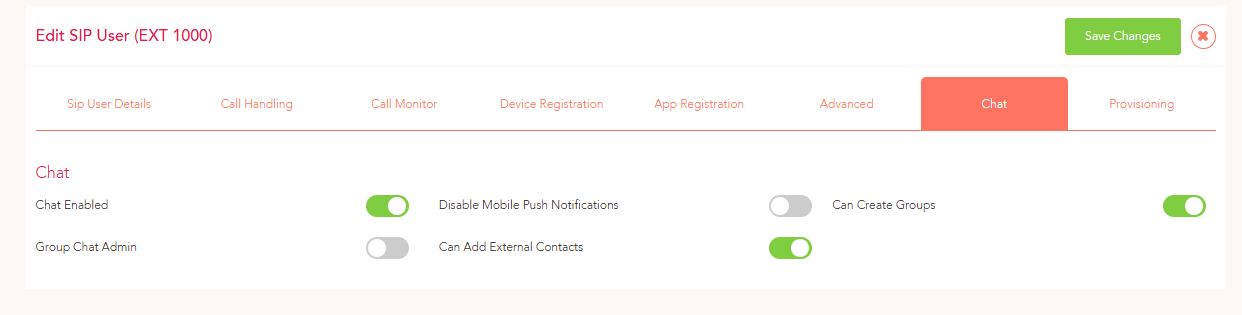
Chat Enabled -
This will give your users access to internal chat, and, if you have a UK mobile number, SMS messaging. Disable for any users that only need voice functionality.
Disable Mobile Push Notifications -
This will stop the user getting message notifications on both the desktop and smartphone app whenever messages are received.
Can Create Groups -
This will allow the user to make group chats within the Yay app for your organisation.
Group Chat Admin -
This will allow the user to make administrative changes to existing group chats.
Can Add External Contacts -
This will allow users to add contacts outside of your organisation into a phonebook. These contacts can later be contacted via SMS within the Yay App.