What is call parking and how does it work?
What is call park and how does it work?
Call parking works just as it sounds — When a call is parked, the caller is put on hold until you or someone else retrieves the call from its parking spot. Anyone in the office can park or retrieve a call.
How Does It Work?
Yay.com has five parking slots by default, they are located in the Parked area on the right of the screen when on the receiver icon on the Yay.com Application.

To park a call:
Whilst on a call on the Yay.com Application, hold the Hold key down for 3 seconds and this will park the caller in an available parking slot:

To retrieve a parked call:
Click on the green receiver icon next to the parking slot the call is parked on.

Short Codes:
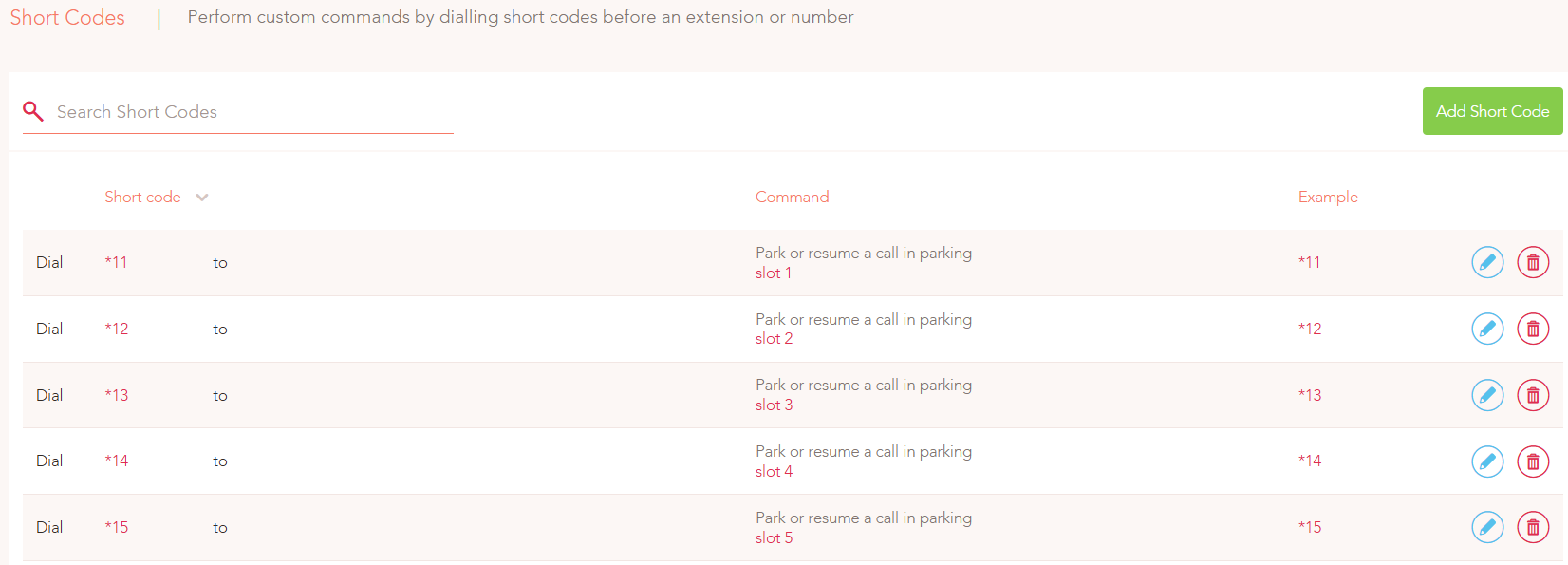
You can also park and retrieve calls via the short codes to park a call in a designated parking slot.
Simply dial *11 by default. This parks the call in "Parking Space 1". To retrieve the call, dial *11 again from your device or another device, such as your colleague's device.
We configure five parking spaces for you by default:
- Park in space 2 with *12
- Park in space 3 with *13
- Continue up to space 5 with *15
If you prefer different shortcodes for parking, you can configure them in your dashboard under Voice > Config > Short Code.
Call Park Short Codes can also be added as BLF Keys on deskphones.