Routing
How do I change my standard calling tone when ringing?
By default, the tone that the caller hears in every call route is set to Standard Ring.
However, you can change this to any tone you prefer.
You can choose from our Standard UK Ring Tone, or upload an audio file to the audio tab in the dashboard.
Once uploaded, you can select this audio from the dropdown box under Calling Tone in the Call Route.
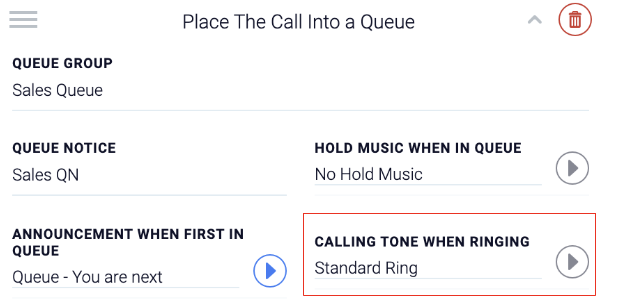
Click Save Changes to save the calling tone to that call route.