What is a call route?
After setting up your Yay account with a telephone number, you need to assign a set of instructions for receiving calls. This process is called Call Routing.
Call Routing is a feature in Yay that directs and manages incoming calls based on predetermined rules. Advanced Call Routing strategies can include IVR (Interactive Voice Response) Call Menus, Call Queuing, Conference Bridges, Voicemail and other routing modules which enhance the inbound call experience. Effective Call Routing helps manage the flow of calls to your staff, improving customer service and speeding up call resolution times.
To create your first Call Route, follow these steps:
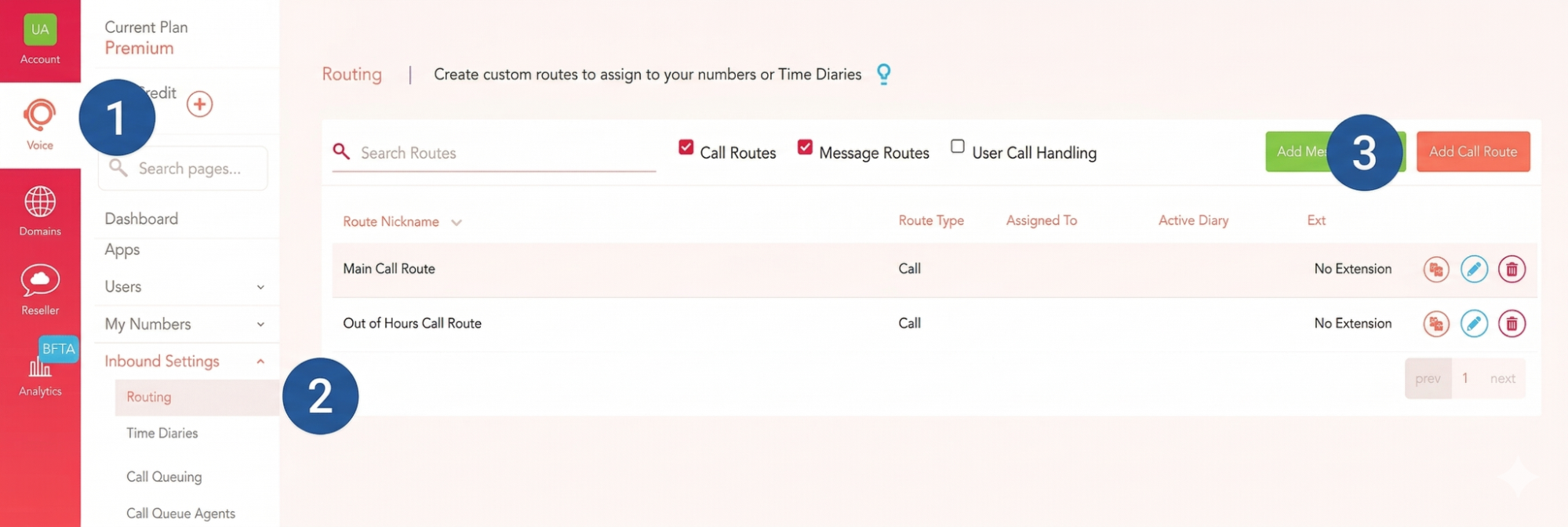
1. Navigate to the Voice tab on the left
2. Select Inbound Settings from the menu and then click on Routing
3. Click on the Add Call Route button
Start by giving your route a Name. Choose something easily recognisable so you can quickly understand its purpose.
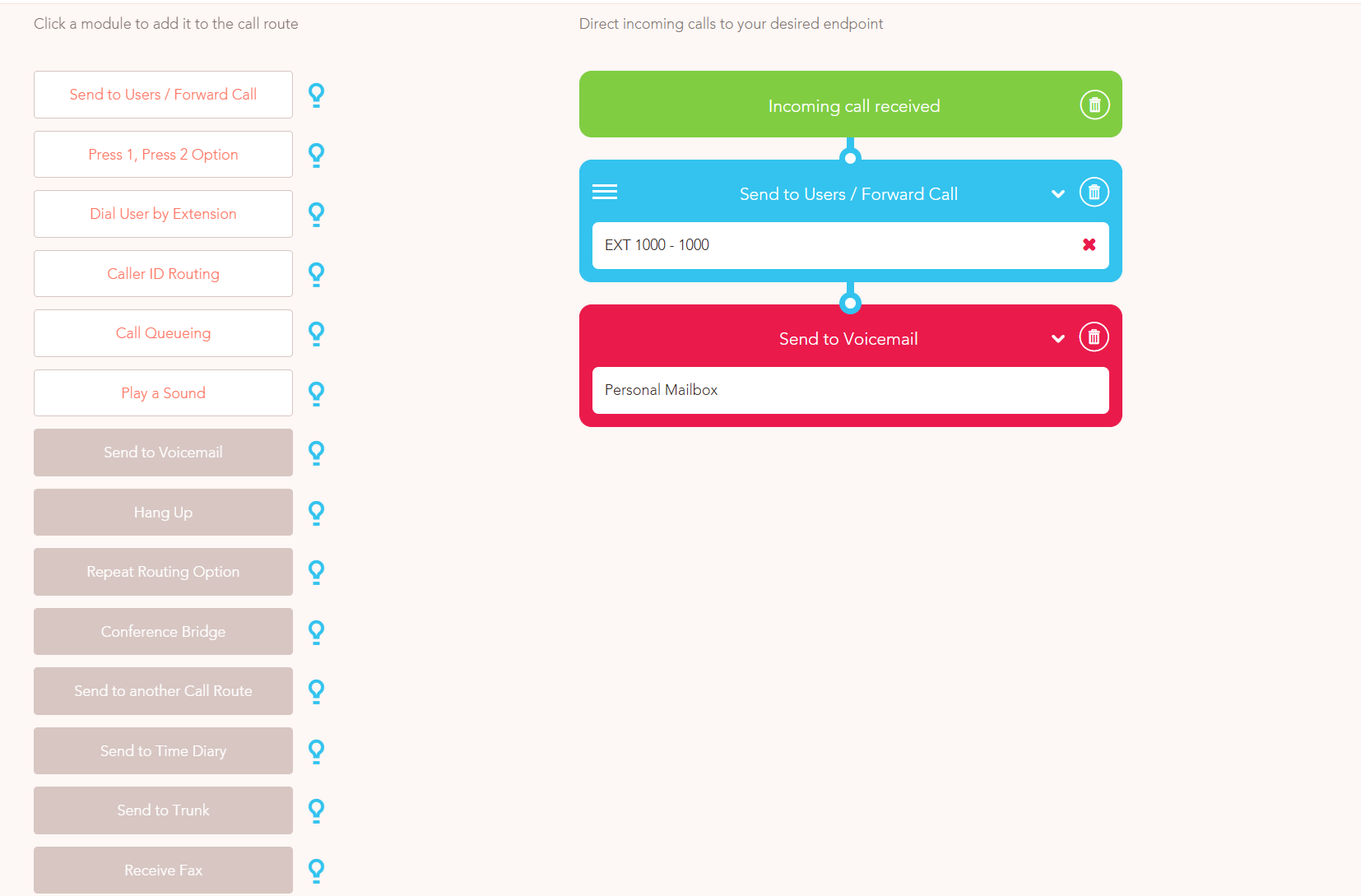
Once you have given your route a name, you can begin to add Routing modules. These are on the left-hand side of your screen and can be dragged and dropped into your call route on the right. Highlight the tool-tip icon (lightbulb) to get an explanation of each module.
The routing modules can be placed into the call route and further customisation can be done in the module once it has been added to your route.
For example, if you select Send call to user/group/external number, you can choose the user/group to whom you want these calls to be sent to. You can also set how long the call will ring, giving users enough time to answer it. The default ring duration is 30 seconds.
You can also change the calling tone that is heard by the caller by uploading your own audio file, but the standard tone works just as well!
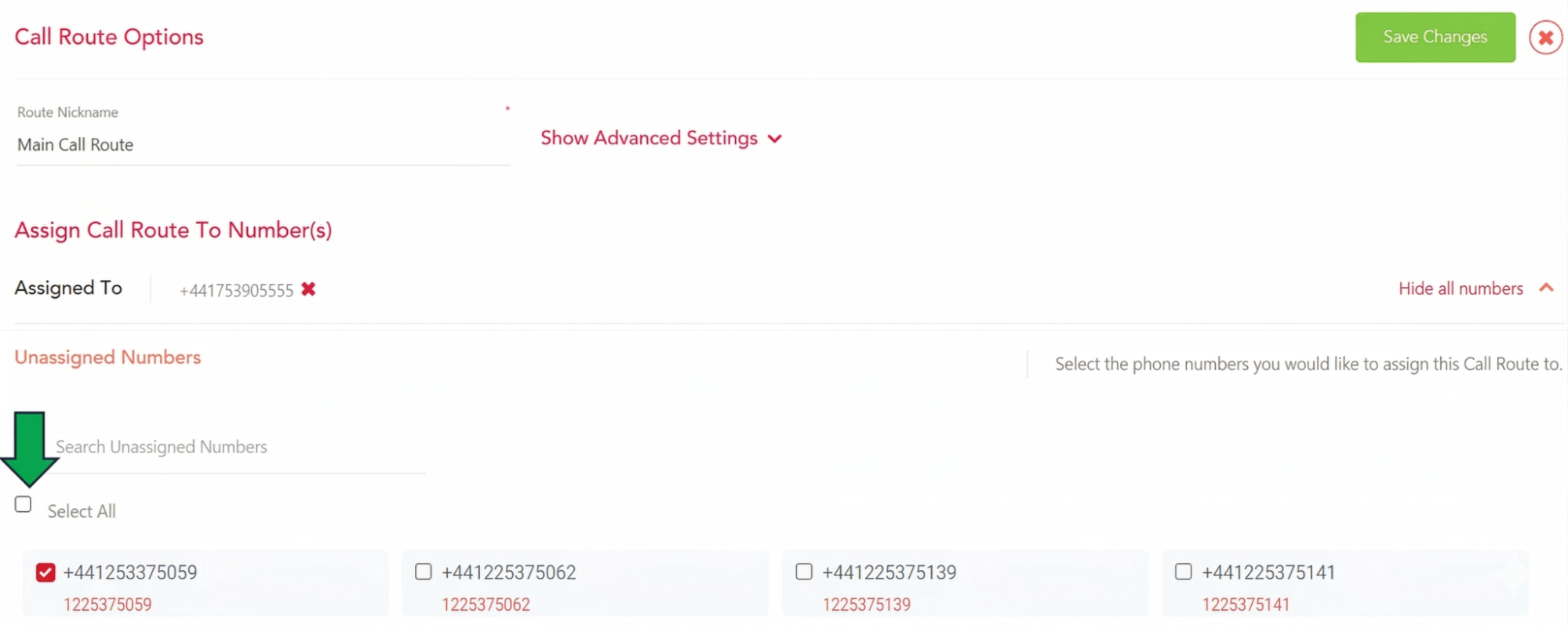
After this is done, you will need to assign the route to one (or more) of your telephone numbers at the top of the screen and click Save Changes.