What is call queue availability?
Call queues are a powerful tool to any business that chooses to utilise them. To ensure both your customers and colleagues are having the best experience, it is important to manage queue availability of anyone in call queues.
How does queue availability work?
Queue availability shows queues on Yay whether you are ready to take calls or not. This allows individual members of a queue to regulate their own schedules while keeping the queue tended by other users.
How does queue availability differ from do not disturb?
If a user is unavailable in a queue, he or she can still be contacted via calls to the user or to a hunt group containing the user. Do Not Disturb will apply to all calls coming through the Yay Application or Deskphone.
When do I need to use queue availability?
Queue availability should be toggled whenever a user leaves his or her desk including lunch breaks, a trip to the coffee machine, or leaving for the day.
How do I turn this on and off?
There are several ways to toggle your availability.
In the desktop app, you can click on your avatar and use the Available In Call Queue Toggle.

In the Yay mobile app, you can go to More > Settings > Calls > Available in Call Queues to change your settings.
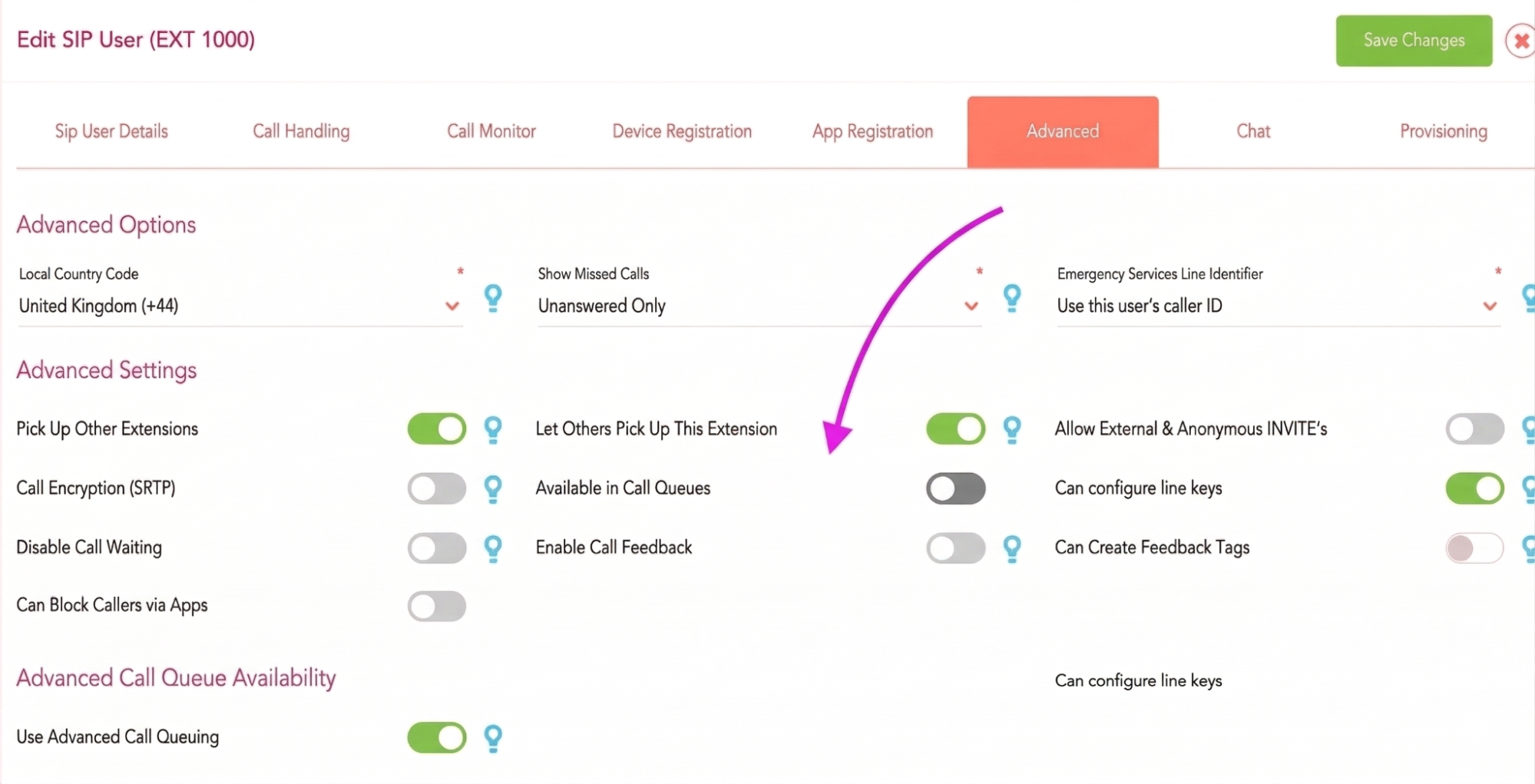
In the users page of the dashboard, click on the edit button of the user in question, then go to the Advanced tab, there is a 'Available in call queues' toggle, then click Save Changes.